 Blogging Heros
In this article, we have collected alternatives to the Adobe Lightroom app, all of which are free. If you’re a beginner photographer, you don’t have to use expensive subscription apps to “develop” your RAW photos.
Adobe Lightroom is a professional photo editor with a raw converter feature. Whether you’ve just started shooting or are already an amateur photographer who’s just transitioned to shooting in raw format, you don’t have to use Lightroom to develop your digital negatives, try out the apps below. Which we have chosen as free alternatives to lightroom.
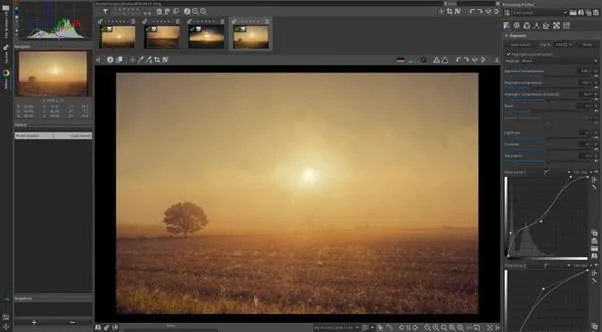
Raw Therapee
Free and open source software created as a counterpart to the proprietary Lightroom. The application is based on the principle of “non-destructive editing”, in which the original photo file remains unchanged, and all manipulations take place on specially generated versions. In terms of the number of functions and tools, RawTherapee is quite capable of competing with Lightroom and completely replacing it.
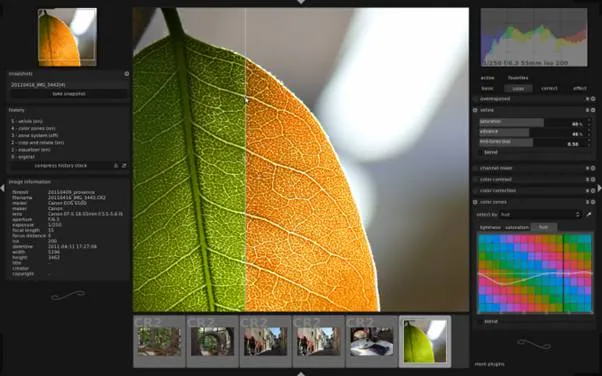
Darktable
Another free and open source application that is completely free. Darktable focuses on cataloging images and automating workflows for processing large volumes of photos. The application has support for GPU acceleration, during resource-intensive operations, the power of the video card is used. The editor provides professional color management with sRGB, Adobe RGB, XYZ and linear RGB profiles.
PhotoScape X
An application with a simple and intuitive interface, suitable for users who do not want to spend time learning all the features. Despite its light “weight” and the absence of numbers in the price list, the application has a fairly powerful set of tools, including: HDR, brushes, sharpening, blur control, the ability to remove background and objects, and a collage creation function.
Apple Photos
Apple Photos is very well suited for photo management and works great with third party editors of your choice. The addition of tools such as the Tone Curve and the Clarity slider made it easier to get the kind of results you’d expect from Lightroom. RAW support is built into macOS, so the app works with more cameras.
Google Photos
Google Photos works exclusively in the cloud and in a desktop browser. But the handling capabilities are excellent. It uses technologies ported over from apps like Snapseed, as well as Google’s machine learning algorithms. There is also limited support for RAW files.
Google is great for organizing your pictures. You don’t have to worry about adding keywords, as it will automatically identify things in pictures and return them in a simple search.