

Table of Contents
In today’s fast-paced software development world, delivering high-quality applications quickly is no longer optional—it’s expected. Whether you’re building a simple website or a complex enterprise system, testing plays a crucial role in ensuring that everything works as intended before it reaches the end user.
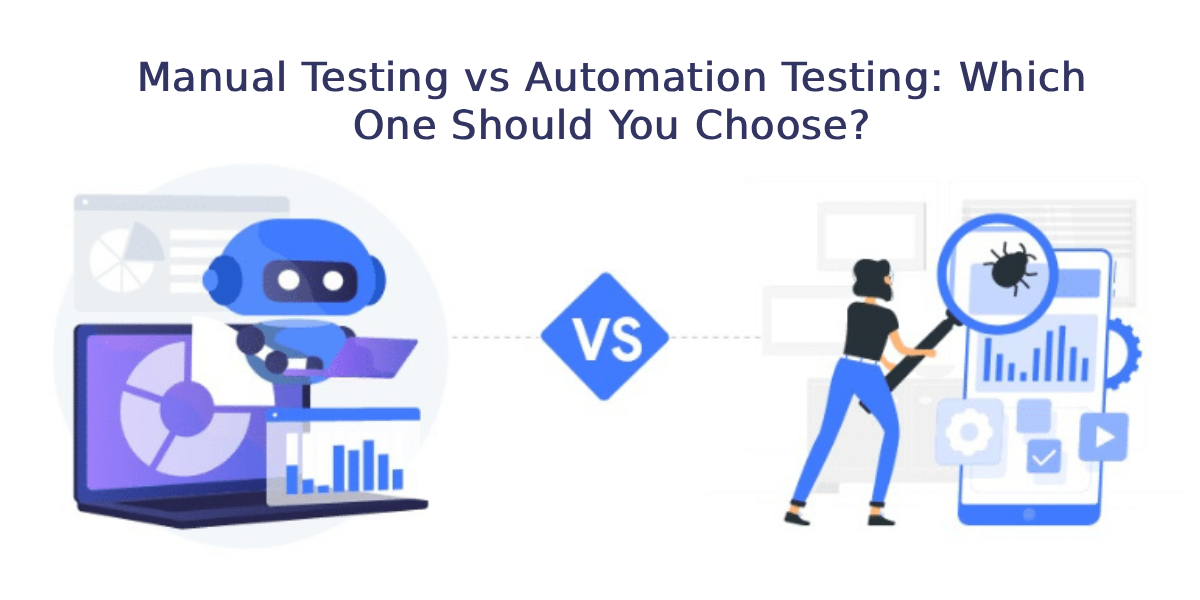
Among the most important decisions in software quality assurance is choosing between manual testing and automation testing. Both approaches are widely used, both have strong advantages, and both come with limitations. The real challenge is understanding which one fits your project, team, budget, and long-term goals.
This detailed guide will help you understand manual testing vs automation testing in depth, compare them side by side, explore tools, use cases, pros and cons, and ultimately help you decide which approach—or combination—is right for you.
Understanding Manual Testing
Manual testing is the traditional approach to software testing where testers execute test cases manually without using automation tools or scripts. The tester acts like an end user and verifies whether the application behaves as expected.
In simple terms, manual testing means “human-driven testing.”
How Manual Testing Works
A manual tester typically follows these steps:
- Understand requirements from documentation
- Write test cases based on requirements
- Execute test cases step by step
- Compare actual results with expected results
- Report bugs and track them until resolution
Manual testing heavily relies on human observation, analytical skills, and domain understanding.
Types of Manual Testing
Manual testing includes several types:
- Functional testing
- Exploratory testing
- Usability testing
- Regression testing (manual execution)
- User acceptance testing (UAT)
- Ad-hoc testing
Each type focuses on different aspects of application quality.
Advantages of Manual Testing
Manual testing is still widely used because of its unique strengths:
- It allows human observation of UI/UX issues
- Ideal for exploratory testing where test cases are not predefined
- More flexible for frequently changing requirements
- Better for short-term or small projects
- No need for programming knowledge or automation tools
Limitations of Manual Testing
However, manual testing also has drawbacks:
- Time-consuming for repetitive tasks
- Prone to human errors
- Not suitable for large-scale regression testing
- Difficult to reuse test cases
- Slower feedback cycle compared to automation
Despite these limitations, manual testing remains essential in many scenarios.
Understanding Automation Testing
Automation testing is a modern software testing approach where test cases are executed using specialized tools and scripts. Instead of humans performing repetitive actions, automated scripts handle execution.
How Automation Testing Works
Automation testing typically involves:
- Writing test scripts using programming languages
- Using automation frameworks or tools
- Running scripts to execute test cases automatically
- Comparing actual results with expected outcomes
- Generating test reports
Once created, automated tests can be reused multiple times with minimal effort.
Popular Automation Testing Tools
Some widely used tools include:
- Selenium – One of the most popular tools for web application testing
- Cypress – Known for fast and reliable frontend testing
- Appium – Used for Android and iOS testing
- TestNG – Commonly used with Selenium for test management
- Postman – Popular for API automation testing
Advantages of Automation Testing
Automation testing offers several benefits:
- Fast execution of test cases
- Reusable test scripts
- Ideal for regression testing
- Reduces human effort and errors
- Supports continuous integration and delivery (CI/CD)
- Better coverage for large applications
Limitations of Automation Testing
Despite its power, automation is not perfect:
- High initial setup cost
- Requires programming knowledge
- Not suitable for visual or UX testing
- Maintenance required when application changes
- Not effective for one-time test cases
Manual Testing vs Automation Testing: Key Differences
To better understand both approaches, let’s compare them side by side.
| Feature | Manual Testing | Automation Testing |
|---|---|---|
| Execution | Done by humans | Done by tools/scripts |
| Speed | Slow | Fast |
| Accuracy | Prone to human error | Highly accurate |
| Cost | Low initial cost | High initial cost |
| Maintenance | Easy | Requires updates |
| Best for | Exploratory testing | Regression testing |
| Learning curve | Low | High |
| Reusability | Low | High |
| Tool dependency | None | Required |
This comparison clearly shows that both approaches serve different purposes.
When Should You Choose Manual Testing?
Manual testing is still highly relevant in many situations. You should choose manual testing when:
1. Project is Small or Short-Term
If the application is small or has limited functionality, automation setup may not be worth the effort.
2. UI/UX Testing is Important
Human perception is critical when evaluating user experience, layout, and design consistency.
3. Requirements Frequently Change
When requirements are unstable, maintaining automation scripts becomes difficult.
4. Exploratory Testing is Needed
Manual testers can discover unexpected bugs that automated scripts might miss.
5. One-Time Testing Scenarios
If test cases are not going to be reused, automation is unnecessary.
When Should You Choose Automation Testing?
Automation testing is the right choice in the following scenarios:
1. Large and Complex Applications
When applications have hundreds or thousands of test cases, automation becomes essential.
2. Regression Testing
Automation is perfect for repeatedly testing existing features after updates.
3. Continuous Integration and DevOps
In modern DevOps pipelines, automated tests run every time code changes.
4. Performance and Load Testing
Automation tools can simulate multiple users and heavy traffic efficiently.
5. Long-Term Projects
If the project has a long lifecycle, automation saves time and cost in the long run.
Pros and Cons Summary
Manual Testing
Pros:
- Easy to start
- No technical setup required
- Good for usability testing
- Flexible and adaptable
Cons:
- Slow execution
- Not scalable
- Human error risk
- Repetitive effort
Automation Testing
Pros:
- Fast execution
- High accuracy
- Reusable scripts
- Supports CI/CD
Cons:
- High initial cost
- Requires skilled resources
- Maintenance overhead
- Not suitable for visual testing
Tools Used in Manual and Automation Testing
Manual Testing Tools
Manual testing relies less on tools but still uses:
- Bug tracking systems like Jira
- Test case management tools like TestRail
- Documentation tools like Excel or Google Sheets
Automation Testing Tools
Automation testing depends heavily on frameworks and tools:
- Selenium for web automation
- Cypress for modern frontend testing
- Appium for mobile automation
- TestNG for test organization and execution
- Postman for API automation
These tools significantly improve testing efficiency and coverage.
Cost Comparison: Manual vs Automation Testing
Cost is often a deciding factor.
Manual Testing Cost Factors:
- Human resources
- Time per test cycle
- Repetitive effort for regression
Automation Testing Cost Factors:
- Tool licensing (sometimes free, sometimes paid)
- Initial script development
- Maintenance and updates
- Skilled engineers (higher salaries)
Long-Term Perspective
- Manual testing is cheaper initially but expensive over time
- Automation testing is expensive initially but cost-effective in the long run
Career Perspective: Manual vs Automation Testing
Both fields offer strong career opportunities.
Manual Testing Career Path
Roles include:
- QA Tester
- Test Analyst
- UAT Tester
Skills required:
- Analytical thinking
- Domain knowledge
- Attention to detail
Automation Testing Career Path
Roles include:
- Automation Test Engineer
- SDET (Software Development Engineer in Test)
- QA Automation Architect
Skills required:
- Programming (Java, Python, JavaScript)
- Framework design
- CI/CD knowledge
Automation testing generally offers higher salary growth due to technical complexity.
Can Manual and Automation Testing Work Together?
Yes, and in modern software development, they almost always do.
This is known as a hybrid testing approach.
Hybrid Testing Strategy
A balanced strategy includes:
- Manual testing for usability and exploratory testing
- Automation testing for regression and repetitive tasks
- API automation for backend validation
- UI automation for critical user flows
This combination ensures maximum coverage and efficiency.
Real-World Example
Imagine an e-commerce website:
Manual Testing Use Cases:
- Checking UI layout on different devices
- Validating user experience of checkout process
- Exploring new features like discounts or coupons
Automation Testing Use Cases:
- Testing login functionality repeatedly
- Checking product search functionality after every update
- Running regression tests before every release
This combination ensures both quality and speed.
Future of Manual and Automation Testing
The testing landscape is evolving rapidly.
1. Rise of AI in Testing
AI-powered tools are making test creation and execution smarter.
2. Shift-Left Testing
Testing is now happening earlier in development cycles.
3. Increased Automation Adoption
More companies are moving toward automation-first strategies.
4. Continuous Testing in DevOps
Testing is becoming fully integrated into deployment pipelines.
5. Manual Testing Still Relevant
Despite automation growth, manual testing remains essential for UX and exploratory testing.
FAQs
Is manual testing still relevant today?
Yes, manual testing is still crucial for UX, exploratory, and usability testing.
Is automation testing better than manual testing?
Not always. Both serve different purposes and are often used together.
Which is easier to learn: manual or automation testing?
Manual testing is easier to learn, while automation requires programming skills.
Can I switch from manual to automation testing?
Yes, many testers start with manual testing and transition into automation roles.
What is the salary difference between manual and automation testers?
Automation testers generally earn higher salaries due to technical skills.
Which tools are best for beginners in automation testing?
Selenium and Postman are commonly recommended for beginners.
Conclusion
Choosing between manual testing vs automation testing is not about which one is better—it’s about which one is appropriate for your specific situation.
Manual testing offers flexibility, human insight, and simplicity, making it ideal for exploratory and usability testing. Automation testing provides speed, accuracy, and scalability, making it perfect for regression and large-scale testing.
In modern software development, the most effective approach is not choosing one over the other but combining both strategically. A well-balanced hybrid testing strategy ensures high-quality software, faster releases, and better user experiences.
Ultimately, the best choice depends on your project needs, budget, timeline, and long-term goals.
