


Table of Contents
Running a small business involves much more than selling products or providing services. Business owners have to manage invoices, expenses, taxes, payroll, cash flow, financial reports, and many other responsibilities. For many entrepreneurs, accounting becomes one of the most time-consuming parts of running a business.
In the early stages, many small businesses rely on spreadsheets or manual records to track money coming in and going out. While this may work initially, financial management becomes complicated as the business grows. Missing invoices, incorrect expense tracking, delayed tax preparation, and poor visibility into cash flow can create unnecessary stress.
This is where accounting software can make a significant difference.
Modern accounting software helps small businesses automate financial tasks, maintain accurate records, generate reports, and make better business decisions. However, with dozens of options available in the market, choosing the right accounting software can be confusing.
The best accounting software is not necessarily the one with the most features. It is the one that matches your business size, industry requirements, budget, and level of accounting knowledge.
This guide explains what accounting software does, important features to look for, and some of the best accounting software options for small businesses.
Why Small Businesses Need Accounting Software
Many small business owners think accounting software is only useful for large companies. However, even a small business with a few employees or limited transactions can benefit significantly from using the right accounting solution.
Traditional accounting methods often require maintaining multiple files, manually entering data, and spending hours preparing financial statements. These processes increase the chances of errors and make it difficult to understand the actual financial position of the business.
Accounting software simplifies these tasks by bringing financial information into one place.
A good accounting solution can help businesses:
- Track income and expenses accurately
- Create and send professional invoices
- Monitor unpaid customer payments
- Record business expenses
- Prepare financial reports
- Manage taxes more efficiently
- Understand cash flow patterns
- Reduce manual accounting work
For a small business owner, this means spending less time managing paperwork and more time focusing on growth.
Key Features to Look for in Accounting Software
Before choosing accounting software, it is important to understand which features actually matter for your business. Many software platforms offer advanced tools, but small businesses usually need a practical set of features rather than unnecessary complexity.
1. Invoicing and Payment Management
Invoicing is one of the most important functions for small businesses. The software should allow you to create professional invoices quickly, customize invoice details, and track whether customers have paid.
A good invoicing system should provide:
- Automatic invoice generation
- Payment reminders
- Multiple payment options
- Recurring invoices for regular customers
- Invoice status tracking
This helps improve cash flow by reducing delays in receiving payments.
2. Expense Tracking
Small businesses often lose control of expenses because they do not maintain proper records. Accounting software allows you to categorize expenses and understand where your money is being spent.
For example, you can track:
- Office expenses
- Employee salaries
- Marketing costs
- Inventory purchases
- Travel expenses
- Software subscriptions
Accurate expense tracking also makes tax preparation easier.
3. Financial Reports
Financial reports help business owners understand how the company is performing.
Important reports include:
| Report | Purpose |
|---|---|
| Profit and Loss Statement | Shows whether your business is making profit or loss |
| Balance Sheet | Provides an overview of assets, liabilities, and business value |
| Cash Flow Statement | Shows money coming in and going out |
| Expense Reports | Helps identify unnecessary spending |
| Tax Reports | Makes tax filing easier |
Without proper reports, business decisions are often based on assumptions rather than actual numbers.
4. Tax Management
Tax requirements vary depending on the country and business structure. Good accounting software should support tax calculations and provide organized records.
For businesses in India, features such as GST invoicing, GST reports, and tax-ready financial statements can be particularly useful.
5. Ease of Use
Many small business owners are not professional accountants. Therefore, accounting software should have an easy-to-understand interface.
A complicated system with hundreds of features may create more problems than solutions.
The ideal software should allow users to:
- Create invoices without accounting knowledge
- View business performance quickly
- Find financial information easily
- Complete routine tasks with fewer steps
Best Accounting Software for Small Businesses
Different businesses have different requirements. A freelancer, a retail shop owner, and a growing startup may need completely different accounting solutions.
The following are some of the most popular accounting software options suitable for small businesses.
| Software | Best For | Key Strength |
|---|---|---|
| QuickBooks Online | Small businesses looking for complete accounting features | Powerful accounting and reporting tools |
| Zoho Books | Small businesses and startups | Affordable pricing and automation |
| Xero | Growing businesses | Cloud accounting and collaboration |
| FreshBooks | Freelancers and service businesses | Simple invoicing and expense management |
| TallyPrime | Indian businesses | GST compliance and traditional accounting |
| Wave Accounting | Small businesses with basic needs | Simple and affordable accounting |
1. QuickBooks Online
QuickBooks is one of the most recognized accounting solutions for small businesses worldwide. It is designed for businesses that need professional accounting features without maintaining complex systems.
QuickBooks Online allows businesses to manage invoices, expenses, bank transactions, financial reports, and taxes from a single platform.
One of its biggest advantages is its reporting capability. Business owners can easily understand revenue trends, expenses, profitability, and cash flow.
Advantages
- Comprehensive accounting features
- Strong reporting tools
- Bank transaction integration
- Suitable for growing businesses
- Large ecosystem of third-party integrations
Limitations
- Can be expensive for very small businesses
- Some advanced features may require accounting knowledge
QuickBooks is a good choice for businesses that want a long-term accounting solution and expect their financial needs to grow.
2. Zoho Books
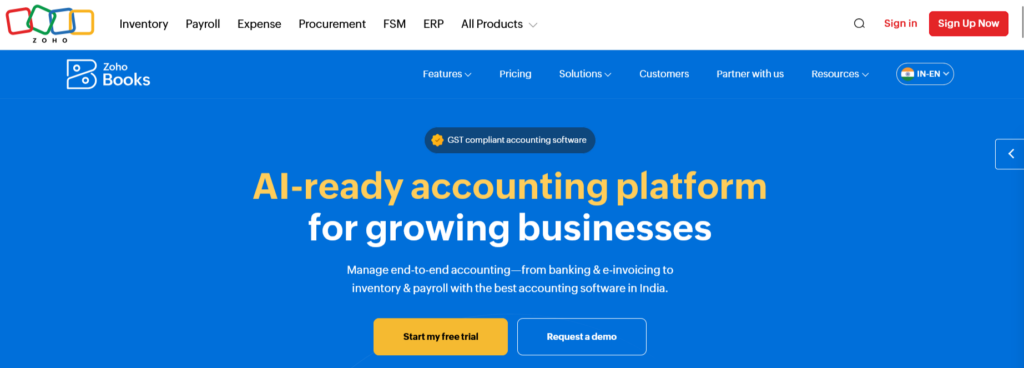
Zoho Books has become popular among small businesses because of its affordability and user-friendly design.
It provides features for invoicing, expense management, GST compliance, inventory tracking, and financial reporting.
For small businesses that already use other Zoho applications, Zoho Books can be especially convenient because it connects easily with other business tools.
Advantages
- Affordable plans
- Easy-to-use interface
- GST support for Indian businesses
- Automation features
- Good customer support
Limitations
- Some advanced accounting features may be limited compared with premium solutions
Zoho Books is often a strong option for startups and small businesses that need professional accounting without high costs.
3. Xero
Xero is a cloud-based accounting platform designed for businesses that want flexibility and collaboration.
It allows business owners, accountants, and team members to access financial information from anywhere.
Xero is particularly useful for businesses that work with external accountants because multiple users can collaborate easily.
Advantages
- Excellent cloud functionality
- User-friendly dashboard
- Strong integration options
- Supports multiple users
Limitations
- Pricing may be higher for very small businesses
- Some regional tax features vary by location
4. FreshBooks
FreshBooks is mainly designed for freelancers, consultants, and service-based businesses.
Its biggest strength is simplicity. Users can create invoices, track expenses, record payments, and manage client relationships without dealing with complicated accounting terminology.
FreshBooks works well for professionals who mainly need billing and expense management rather than advanced accounting functions.
5. TallyPrime
Tally Solutions is one of the most widely used accounting solutions in India.
It is especially popular among traders, retailers, manufacturers, and businesses that need detailed accounting and GST compliance features.
TallyPrime offers strong inventory management, taxation support, and financial reporting.
Advantages
- Popular among Indian businesses
- Strong GST features
- Inventory management
- Reliable accounting system
Limitations
- Interface may feel less modern compared with some cloud-based solutions
- Requires some accounting understanding
Accounting Software Comparison: Which One Should You Choose?
Choosing the right accounting software depends on your business requirements.
| Business Type | Recommended Software | Reason |
|---|---|---|
| Freelancer or consultant | FreshBooks | Simple invoicing and expense tracking |
| Small startup | Zoho Books | Affordable and scalable |
| Retail business in India | TallyPrime | GST and inventory management |
| Growing company | QuickBooks Online or Xero | Advanced accounting features |
| Very small business | Wave Accounting or Zoho Books | Basic accounting needs at lower cost |
Cloud Accounting vs Desktop Accounting Software
One important decision is whether to choose cloud-based or desktop accounting software.
| Feature | Cloud Accounting | Desktop Accounting |
|---|---|---|
| Accessibility | Can be accessed anywhere | Usually limited to installed computers |
| Updates | Automatic updates | Manual updates required |
| Collaboration | Multiple users can work together | Limited sharing options |
| Data Backup | Usually automatic | User responsibility |
| Internet Requirement | Requires internet access | Works offline |
For most modern small businesses, cloud accounting software provides greater flexibility.
However, businesses that prefer offline working or have specific accounting requirements may still prefer desktop solutions.
Common Mistakes Businesses Make While Choosing Accounting Software
Selecting accounting software only based on price can create problems later. A cheaper solution may not provide important features as your business grows.
Some common mistakes include:
Choosing Software That Is Too Complicated
A small business does not always need enterprise-level accounting software. Too many unnecessary features can make daily operations difficult.
Ignoring Future Growth
The software should support your business as it expands. Changing accounting systems frequently can be time-consuming.
Not Checking Integration Options
Many businesses use payment gateways, banking platforms, inventory tools, or payroll software. The accounting system should work smoothly with these tools.
Not Considering Customer Support
When financial issues occur, reliable support can save significant time.
How Much Does Accounting Software Cost?
Accounting software pricing varies depending on features, users, and business requirements.
| Category | Approximate Cost | Suitable For |
|---|---|---|
| Free accounting tools | ₹0 or limited free plans | Very small businesses |
| Basic plans | ₹500–₹2,000/month | Freelancers and small businesses |
| Professional plans | ₹2,000–₹5,000/month | Growing businesses |
| Advanced plans | ₹5,000+/month | Larger teams with complex needs |
The cheapest option is not always the best option. Businesses should consider the value they receive through saved time, improved accuracy, and better financial control.
Tips for Successfully Using Accounting Software
Buying accounting software is only the first step. Proper usage is equally important.
Businesses should:
- Record transactions regularly
- Keep customer and supplier information updated
- Reconcile bank accounts frequently
- Review financial reports every month
- Train employees who handle accounting tasks
Consistent usage helps businesses get maximum value from their accounting system.
Final Thoughts: Finding the Best Accounting Software for Your Business
The best accounting software for small businesses depends on your specific needs, industry, budget, and future plans.
A freelancer may need simple invoicing and expense tracking, while a growing company may require advanced reporting, inventory management, and tax features.
Before making a decision, consider:
- What accounting tasks you want to automate
- How many people will use the software
- Whether you need GST or tax support
- Your budget
- Future business growth plans
For many small businesses, solutions like Zoho Books, QuickBooks Online, Xero, FreshBooks, and TallyPrime provide a strong balance of features and usability.
The right accounting software does more than maintain financial records. It gives business owners better control, clearer insights, and more confidence when making important decisions.
