

Table of Contents
This is a full guide about how web designers identify fonts in just a few seconds, for free.
After this article, you will know how to identify fonts from any place you want:
- From pictures – Take pictures with your mobile phone or computer software (screenshots).
- From websites (including landing pages) – It doesn’t matter on which website you see a font you like; I will show you how to quickly identify it.
- From videos – Yes, you will even identify fonts from videos. For free, and without registration.
- From email newsletters.
- From T-shirts.
- From objects.
- And so on.
There are no limitations, you will identify all the fonts you like, no matter where you see them.
Why are web designers identifying fonts when they could simply use free ones?
There are several reasons.
But first let me present you a bit of context.
The web design industry was and it is still is extremely hard punched by website builders.
Now, that there are quite a few website builders on the market, people choose to use these builders rather than paying good money to web designers.
The results are way different, it is true, a website builder will never create a website like a designer does.
But the pricing is different.
While a website builder might be even free or extremely cheap to use, a good web designer will ask much more, and it will deliver you much more.
The first reason
So the first reason why web designers identify fonts is that they want their work to look awesome.
A huge part of the website design is made out of fonts, the text that is populating your website.
Identifying cool fonts from all over the internet or other places, means cooler websites.
Another reason for identifying fonts is that customers ask for.
It happened to me and to the majority of web designers.
There are customers that show you a picture of a font they like, and ask you to use it.
If you don’t know how to identify fonts, your customer will not be happy.
The third reason
Is that it is awesome to identify fonts that you like.
It is a skill that is free and quick to learn, and which will pay you back big time.
The solution to identify fonts from any place, for free, without registration
The solution that I use, and the rest of the world, which is simple, efficient, and free, is WhatFontIs.
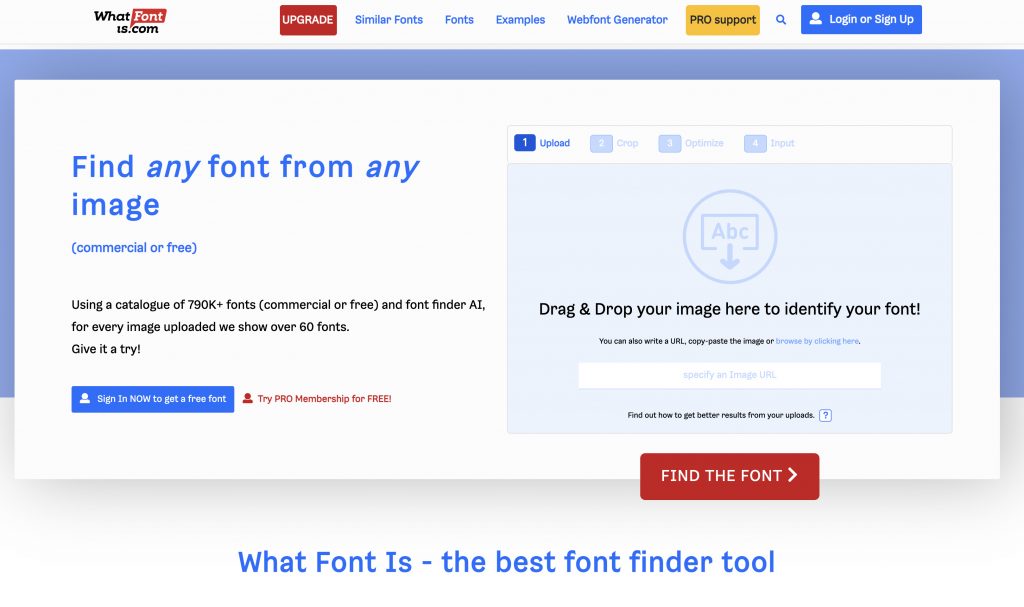
There are many options on the market, but this one is the most complete and it has unique characteristics:
- It has the largest database of fonts – over 790k fonts.
- WhatFontIs is the only system that can identify both free and paid fonts. Most of the other tools can identify only paid fonts.
- The software works with all font foundries, including Google Fonts.
You will also love WhatFontIs because it work flawlessly, it is 100% free to use, no registration is needed, and the font identification process is lightning fast.
How you will use WhatFontIs
It is very simple to use this font identifier tool.
Take a picture of the font you like, upload it on www.whatfontis.com website, crop the picture if needed, write down the identified text letters, and boom, the software will tell you the following info:
- Name of the font.
- If it is free or paid, and how much does it cost.
- You will get the download link.
- For each identified font, you will get 60+ free and paid font alternatives.
The whole process takes around 30 seconds or less, depending on how fast you click.
This is how you use WhatFontIs to identify fonts from pictures. If you can take a picture of the font you like, you can identify it.
To identify fonts from websites, you will have to install WhatFontIs Google Chrome Extension. It is free to install and use.
After the installation is finished, you will find WhatFontIs icon in the upper right part of your screen.
Go on the website where you saw a cool font, click on the WhatFontIs icon to activate the software, and just hover your mouse cursor over the text.
You will get the font’s name and info instantly.
It is very simple, give it a try right now.
Conclusions
Now that you’ve got this new skill, start to identify all the fonts you like.
Best is to create your own font collection out of the fonts you identify, and structure them for different purposes. Please share the article on the internet and help your friends learn to identify fonts.
